testing

To start the OS 10.2 Setup Assistant
Open the Hard Drive.
Open the System folder.
Open the Library folder.
Open the Core Services folder.
Double click the Setup Assistant icon.
If you are unable to locate the Setup Assistant, you can manually setup your dialup account.
Click Here for Instructions
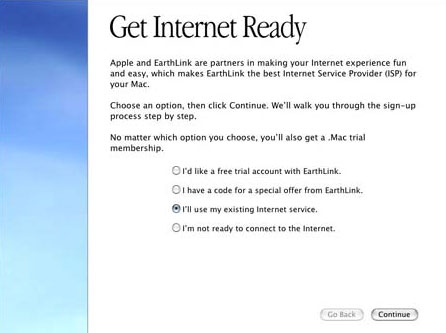
When the Setup Assistant opens, select I'll use my existing Internet service and click Continue
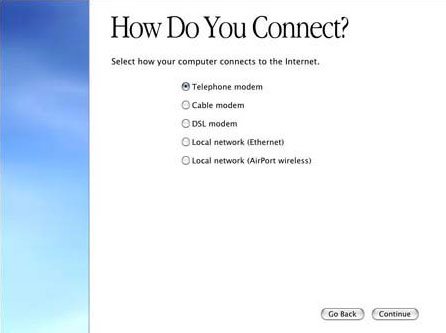
Select Telephone Modem and click Continue.
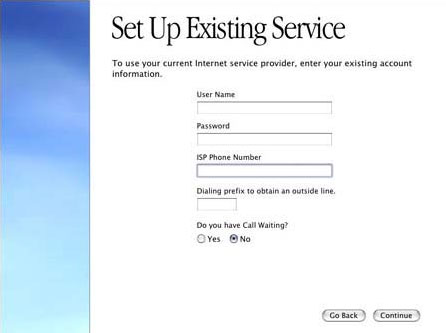
Enter your LasVegas.net username and password into the appropriate fields. Your username is your full email address and should be lowercase with no spaces.
Type in your Local Access Number into the ISP Phone Number box.
Enter the appropriate information for the Dialing Prefix and Call Waiting options.
Click Continue.
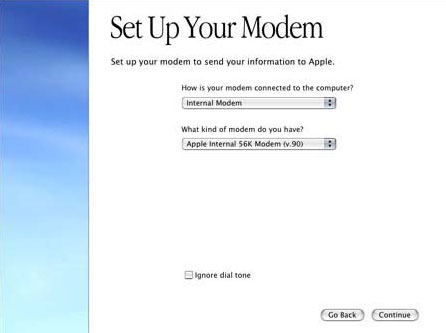
Select your Modem and modem connection from the menus and click Continue.
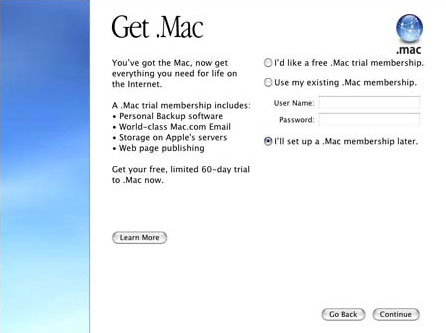
When prompted for .Mac information, select the option that you wish and click Continue.
Your Dialup connection should now be setup. Click Go to finish.


